
This content is intended for general educational purposes only and does not constitute legal, financial, or medical advice. Laws, program eligibility requirements, and facility policies vary by state and individual circumstance and are subject to change. Always consult a qualified elder law attorney, financial advisor, or licensed professional before making decisions about your loved one’s care or finances.
Every month, somebody in finance opens the AR aging report and asks the same question: is this number good? The executive director wants to know. The regional VP wants to know. The board, the lender, and the auditor will eventually want to know too. And the honest answer, at a lot of assisted living communities, is “it depends on who you ask and how you calculated it.”
That is a frustrating answer for a metric this important. Days in accounts receivable, often called AR days or days sales outstanding (DSO), tells you how long it takes your community to turn a statement into cash. It is one of the cleanest signals you have about the health of your billing process, and it ties directly to the cash you have available to make payroll, fund capital projects, and absorb the occasional surprise. A few days in either direction can mean hundreds of thousands of dollars sitting in your bank account or sitting in your families’ checkbooks.
This guide answers the question directly: what a good AR days benchmark looks like for assisted living, how to calculate it so your number means something, why assisted living should run leaner than skilled nursing, what each extra day actually costs, and what high-performing communities do differently. If your community runs on PointClickCare®, we will also cover how TransactCare® shortens the collection cycle with faster statement delivery, online payments, and faster deposits.
What Are AR Days and How Do You Calculate Them?
AR days measures how many days of revenue are sitting in your accounts receivable at a given point in time. In plain terms, it answers the question: “If we stopped billing today, how many days of revenue are we still waiting to collect?”
The most common method in long-term and post-acute care works in two steps. Richter Healthcare Consultants describes the calculation like this:
- Calculate average daily revenue. Take total revenue for a recent period (three months is common) and divide it by the number of days in that period.
- Divide total AR by average daily revenue. The result is your AR days.
Here is a simple example. Say your community billed $1,800,000 over the last three months, a 92-day period. Your average daily revenue is about $19,565. If your current accounts receivable balance is $480,000, your AR days are:
$480,000 ÷ $19,565 = 24.5 days
Some finance teams use an annualized version instead. Grassi Advisors uses AR divided by annual revenue, multiplied by 365. Both methods work. What matters far more than which formula you choose is that you calculate it the same way every month, using the same revenue definition and the same AR definition, so the trend line actually means something.
A few calculation choices quietly change your number and are worth deciding on deliberately:
- Gross or net revenue. If you bill at full rates and write down later, gross revenue will make your AR days look better than net revenue will. Pick one and stick with it.
- Credit balances. Prepaid accounts and credit balances can offset what is actually owed. Many finance teams report AR days both with and without credits to see the real picture.
- Lookback period. A single month is noisy, especially in a month with a rate increase or a move-in surge. A rolling three-month average smooths out the bumps.
- Payor segments. A blended number can hide a problem. More on that below.
What Is a Good AR Days Benchmark for Assisted Living?
There is no single national standard published specifically for assisted living AR days, which is part of why the question comes up so often. But the benchmarks that long-term care advisors do publish point in a consistent direction, and they make a clear case that private pay assisted living should run well below skilled nursing.
Here is what the published guidance says:
- Long-term and post-acute care overall: Richter Healthcare Consultants puts the industry standard for long-term and post-acute care at 40 to 45 days, adjusted for payor mix. For a census that is mostly private pay and billed in advance, Richter says the goal should be closer to 20 days.
- Senior living: Blytheco cites a senior living industry average of 35 to 45 days, with leading communities maintaining less than 30 days through proactive billing, multiple payment options, clear family communication, and systematic follow-up.
- Skilled nursing: Grassi Advisors notes that most successful skilled nursing facilities aim for 60 days or fewer, reflecting the longer claim cycles that come with Medicare, Medicaid, and managed care.
Putting those together, here is a practical way to grade a private pay heavy assisted living community. Treat these ranges as a working framework built from the published guidance above, not an official industry standard.
| AR Days | What It Usually Signals |
| Under 20 | Best in class. Billing in advance, electronic statements, online payment, high autopay adoption, and fast follow-up on exceptions. |
| 20 to 30 | Strong. A well-run private pay billing process with a few manual steps still in the way. |
| 30 to 45 | Typical for senior living, but likely leaving cash on the table. Often a sign of mailed statements, check-heavy collections, or slow follow-up. |
| Over 45 | A collections problem worth investigating, unless a large share of AR is tied up in Medicaid pending or another payor with long timelines. |
AR days are only half the story, though. You also want to know how old the receivables are. Richter suggests targeting 15 percent or less of AR over 90 days, and keeping AR over 120 days under 10 percent. A community can post a respectable AR days number while quietly carrying a handful of very old balances that will never be collected. The aging buckets catch what the average hides.
Why Should Assisted Living AR Days Be Lower Than Skilled Nursing?
Because the way assisted living gets paid is fundamentally faster. Skilled nursing facilities spend much of their AR cycle waiting on claims: Medicare, Medicaid, managed care plans, and secondary payors, each with its own submission rules, review timelines, and denials. Some of that waiting is simply built into the system.
Assisted living works differently. The American Health Care Association and National Center for Assisted Living report that almost one in five assisted living residents, about 18 percent, relies on Medicaid to pay for daily services. That means the large majority of assisted living revenue is private pay: residents and their families paying a monthly bill, often in advance, with no claim adjudication standing between the statement and the payment.
In theory, a community that bills rent and base services in advance on the first of the month should be able to collect most of it within a couple of weeks. In practice, the delay comes almost entirely from process, not from payors. Statements take days to print and mail. Families pay when they get around to it. Checks sit in the mail and then in a drawer. Payments wait to be keyed into the system. Every one of those steps adds days, and none of them is caused by an insurance company.
That is good news, because it means most of the gap between a 40-day community and a 20-day community is within your control.
Should You Measure AR Days by Payor?
Yes. A blended AR days number is a useful headline, but it can hide exactly the problem you are trying to find.
Consider a community with a blended AR days figure of 32. That looks fine. But break it apart and you might find private pay sitting at 18 days, while a handful of Medicaid pending accounts and long-term care insurance claims are dragging the average up. Or you might find the reverse: Medicaid waiver payments arriving on a predictable schedule while private pay has crept up to 40 days because of a few families who quietly stopped paying.
At a minimum, segment AR days into:
- Private pay, which should be your lowest number and your clearest measure of billing process efficiency.
- Medicaid and Medicaid pending, which will run longer and should be tracked by individual account so pending applications do not drift.
- Long-term care insurance and other third-party payors, which depend on claim submission and the insurer’s timeline.
- Payment plans, which should be monitored against the agreed schedule, not against the original due date.
Richter’s guidance reinforces this: Medicaid pending accounts and payment plans can hold balances for several months, which pushes AR days up in ways that say nothing about how well your private pay billing is working. When a CFO asks why AR days went up, the payor breakdown usually answers the question in about thirty seconds.
What Drives AR Days Up in Assisted Living?
When private pay AR days creep up, the cause is almost always one of a short list of process problems. Here are the most common, roughly in order of how much damage they do.
- Slow statement delivery. If statements are printed, folded, stuffed, and mailed, families may not see the bill until several days into the month. Every day the statement spends in transit is a day added to your AR. Some families also miss paper statements entirely, especially when they live out of state and the bill goes to a resident’s room.
- Paper checks. Checks add mail time on the way back, deposit time, and posting time. They also add cost. According to the AFP 2022 Payments Cost Benchmarking Survey, as summarized by Nacha, the median cost for a business to receive a paper check runs between $1.01 and $2.00, compared with 26 to 50 cents for an ACH transaction. And the 2026 AFP Payments Fraud and Control Survey found that checks were the payment method most often targeted by fraud, cited by 58 percent of organizations.
- Manual posting lag. Even after the money arrives, it does not count until it is applied to the right resident account. When posting is manual and the business office is stretched, payments can sit unapplied for days. That makes AR look worse than it is and makes the aging report less trustworthy.
- Limited payment options. Families who would happily pay by card or bank account on day two will often wait until they get around to writing a check. Every payment method you do not accept is a reason for someone to pay later.
- No autopay. Autopay is the single most effective tool for eliminating the “I forgot” category of late payments. Communities without it rely on every family remembering every month.
- Variable charges and billing questions. Care level changes, ancillary charges, and incidentals generate questions. A family that does not understand a charge often holds the entire payment until someone explains it. Billing questions that sit unanswered for a week add a week to AR.
- Slow follow-up. Richter recommends escalating private pay non-payment after 30 days. Many communities wait much longer, often because the business office does not have the time to make the calls. By the time a balance hits 90 days, it is much harder to collect.
- Medicaid pending and spend-down transitions. When a resident runs out of private funds and a Medicaid application is in process, balances can sit for months. These accounts need their own tracking and a clear owner.
How Much Does Each Extra AR Day Cost?
More than most communities realize. One AR day is simply one day of revenue that has been earned but not collected, so the cost scales directly with the size of your community.
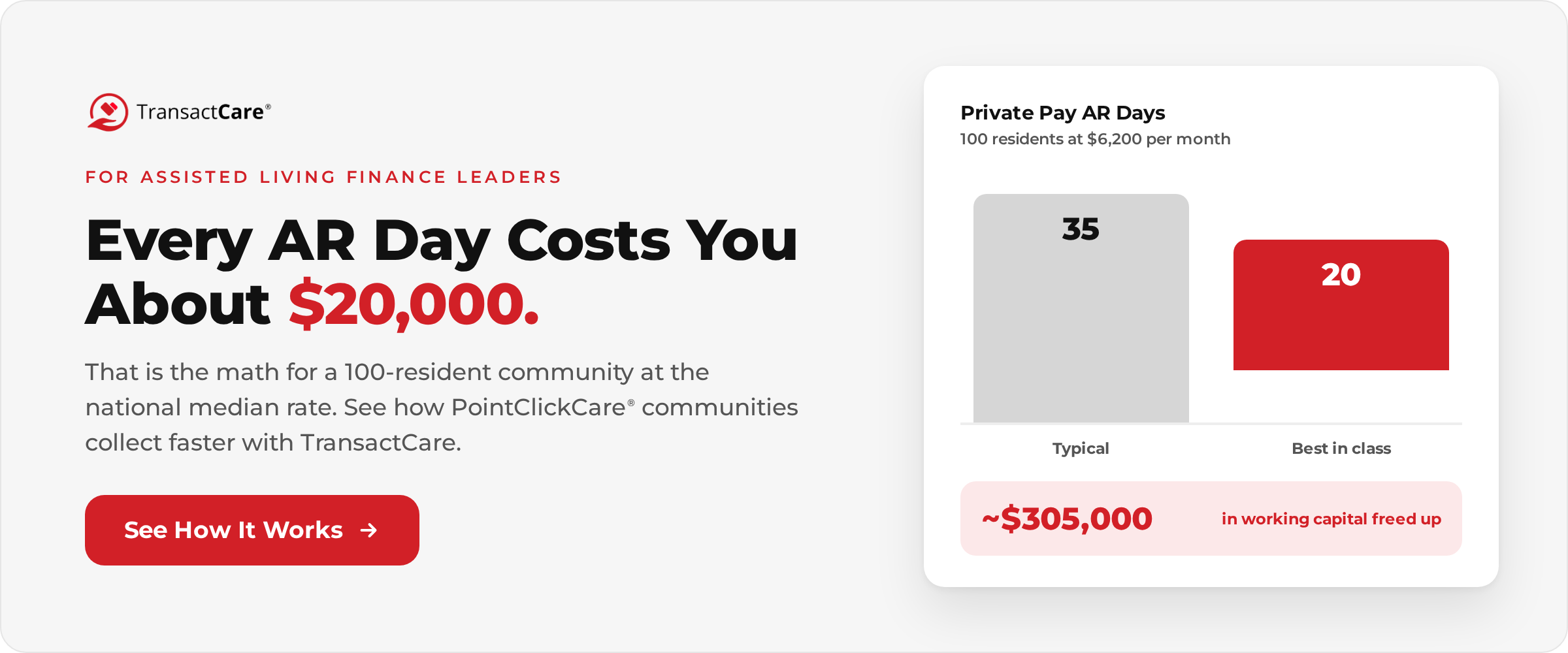
Here is the math for a typical example. The 2025 CareScout Cost of Care Survey puts the national median cost of assisted living at $6,200 per month. For a 100-resident community billing at that rate:
- Monthly revenue: 100 × $6,200 = $620,000
- Annual revenue: $7,440,000
- Average daily revenue: about $20,380
That means every AR day represents roughly $20,000 in cash that has been earned but is not yet in the bank. Moving from 35 AR days to 20 AR days frees up about $305,000 in working capital, permanently. That is not new revenue. It is your own money, arriving sooner.
That matters more than it might seem in a strong market. NIC MAP reported that senior housing operating margins exceeded 25 percent in mid-2025, the highest since 2018, with assisted living occupancy at 87.2 percent and climbing. Strong margins on paper do not help if the cash is stuck in receivables. Faster collections turn reported performance into cash you can actually use for staffing, capital improvements, and debt service.
How Do You Reduce AR Days in Assisted Living?
The communities that run below 20 days are not doing anything exotic. They have simply removed the delays between “statement generated” and “cash posted.” Here is what that looks like in practice.
- Bill in advance, on a fixed date. Base rent and care package charges should go out on the same date every month, before the service month begins. Richter’s guidance for primarily private pay communities is explicit: bill on a pre-bill basis.
- Deliver statements electronically. Email delivery gets the statement in front of the family the same day it is generated, not several days later. It also eliminates the “I never got the bill” conversation.
- Accept online payments. Card, debit, ACH, and eCheck should all be available through a secure portal. The easier it is to pay, the sooner families pay.
- Push autopay hard. Make autopay enrollment part of move-in and part of your regular communication with families. Autopay should draft the actual statement balance, not a fixed amount, so care level changes do not create short payments.
- Automate reminders. Reminder emails to unpaid accounts handle the gentle nudge without anyone on your team picking up the phone.
- Post payments daily. Payments should hit the resident ledger within a day of being received, not whenever the business office catches up. Daily posting keeps the aging report accurate and makes follow-up decisions easier.
- Answer billing questions fast. Set a standard for responding to family billing questions, ideally within one business day. A question answered quickly is usually a payment made quickly.
- Escalate at 30 days. Have a written collections process with clear steps and owners: a reminder at the due date, a personal call at 15 days, an escalation at 30 days, and a conversation with the executive director before balances reach 60.
- Start Medicaid applications early. For residents approaching the end of their private funds, start the Medicaid process before the money runs out. Our resident-facing guide on private pay versus Medicaid is a useful resource to share with families facing that transition.
- Review AR weekly, not monthly. Month-end is too late to catch a problem that started on the fifth. A weekly look at new past-due accounts lets your team act while the balance is still small.
Most of these steps share a common requirement: a billing and payment process that does not depend on paper, mail, and manual data entry. That is where the right technology makes the biggest difference.
How Do Faster Statements and Faster Deposits Shorten AR Days?
Think of your collection cycle as a chain of delays: statement delivery, family response time, payment transit, deposit, and posting. Shorten any link and AR days drop. Shorten all of them and the change is dramatic.
TransactCare is a third-party application built exclusively for senior living communities that use PointClickCare, and it is available in PointClickCare Marketplace. It is designed to remove each of those delays without changing how your team bills.
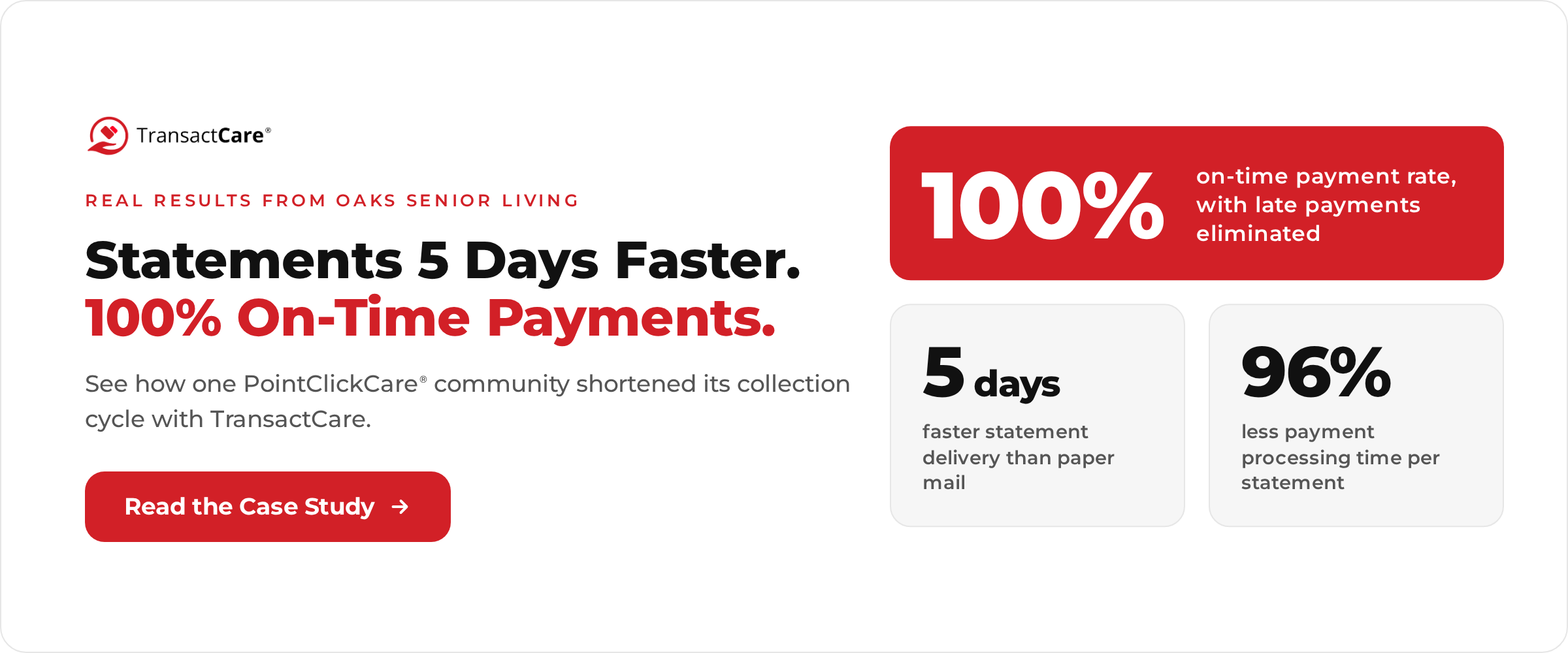
- Statements reach families faster. Statements are generated directly inside PointClickCare as part of your existing workflow, then sent automatically to account guarantors by email, prompting them to log in to a secure online portal to review and pay. At Oaks Senior Living, TransactCare documented that statements now arrive five days sooner than they did by paper mail. Five days earlier on the front end means five days earlier on the back end.
- Families can pay the moment they see the bill. Payors pay by credit card, debit card, ACH, or eCheck inside the portal, from any device. eCheck payments carry no credit card fees for the family, which helps steer payments toward the lower-cost option. Autopay drafts the actual statement balance each time a new bill is ready, so care level changes do not create short payments, and autopay dates stay within the billing cycle so a draft does not land late by design. Smart reminders go out automatically to accounts that have not paid.
- Payments are visible immediately. Every payment is reflected in TransactCare as soon as it is made. Your team does not have to wait for an envelope to know a family paid.
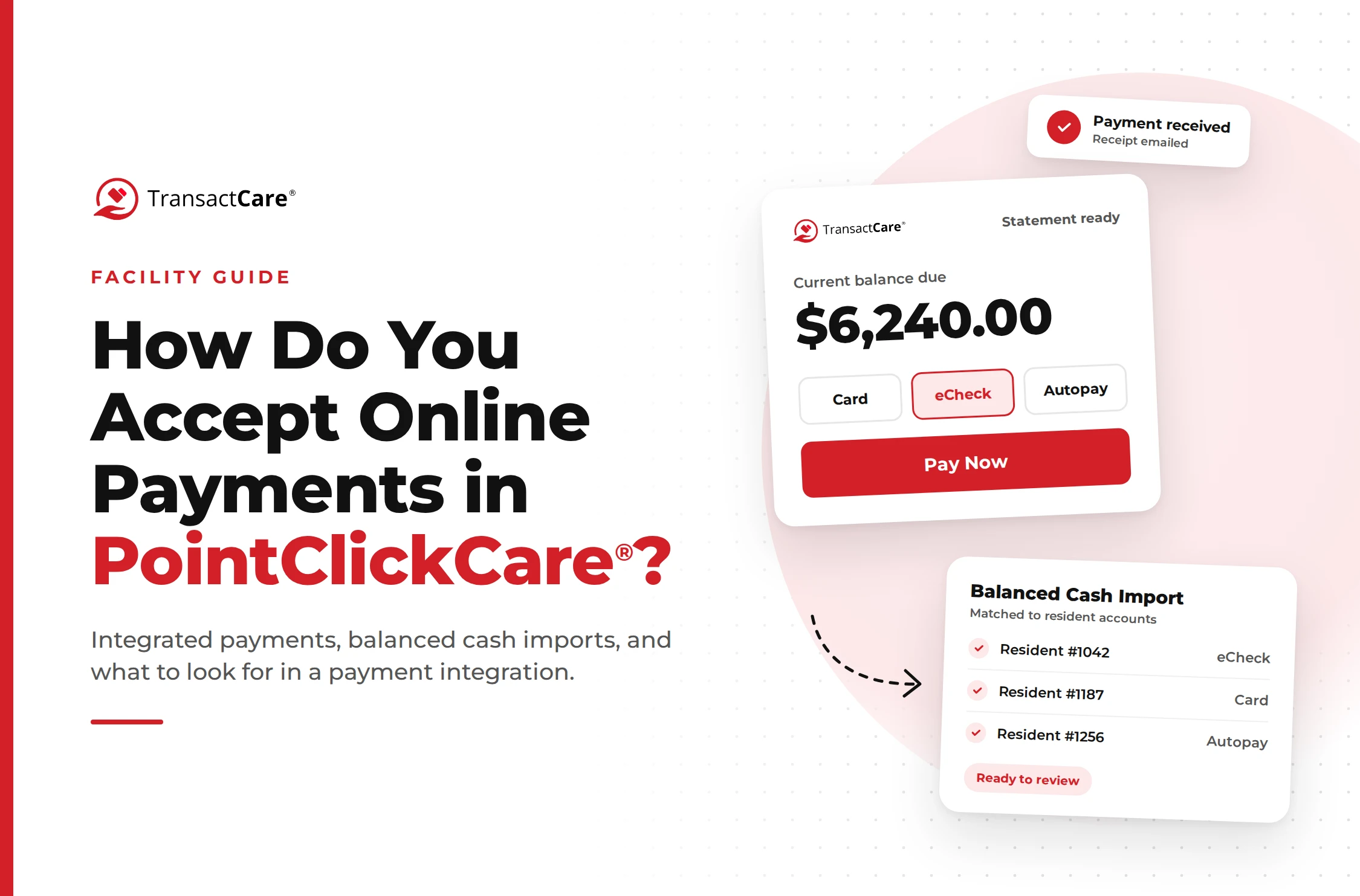
- Posting happens without re-keying. Payments are batched daily at 6:00 PM ET. The following day, a balanced cash import is delivered back to PointClickCare, already matched to the correct resident accounts. Most business office managers review the batch before posting it, and communities that prefer a hands-off process can set it to post automatically. As Nathan Lefave, Accounts Receivable Manager at Oaks Senior Living, put it: “I simply hit post, and it’s done in 30 seconds.”
- Deposits arrive faster. Instead of waiting on mail, deposit runs, and check clearing, card and debit card payments are deposited the next banking day, and ACH and eCheck payments are deposited in 2 to 3 business days.
Oaks Senior Living reported a 100 percent on-time payment rate, with late payments eliminated, and a 96 percent reduction in payment processing time, from 10 minutes per statement to 15 seconds, across 1,500 to 2,000 statements a month. Presbyterian Communities of South Carolina reported an 80 percent reduction in payment processing time and a 50 percent reduction in statement preparation time. You can read more in our post on automated billing with TransactCare and PointClickCare and in the full TransactCare case study.
A 100 percent on-time payment rate is the kind of number that moves AR days into the best-in-class range. When nearly every private pay family pays within the billing cycle, the only balances left in AR are the exceptions, and your team finally has time to work them.
What Other AR Metrics Should Assisted Living Finance Leaders Track?
AR days is the headline, but it works best alongside a few supporting metrics that explain why the number is moving.
- Percentage of AR over 90 days. Richter suggests keeping this at or below 15 percent overall. This is the clearest signal of collection risk, because the older a balance gets, the less likely it is to be collected.
- Percentage of AR over 120 days. Keep this under 10 percent. Balances this old usually need a specific plan: a payment arrangement, a Medicaid application, or a write-off decision.
- Cash collected as a percentage of revenue. Richter recommends this run above 100 percent each month. If you are consistently collecting less than you bill, AR will grow no matter what the AR days number says today.
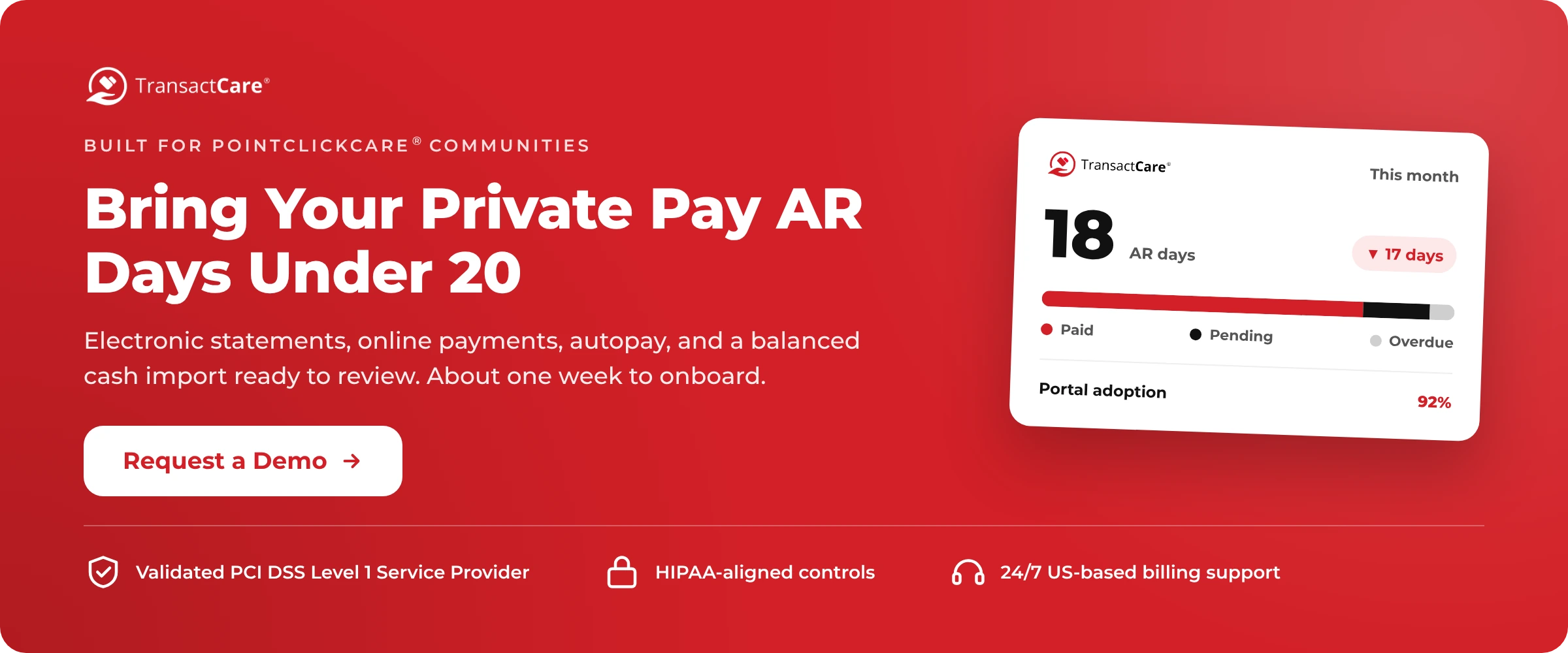
- Portal adoption rate. The share of families who have registered for online statements and payments. This is a leading indicator: as adoption rises, AR days should fall. TransactCare dashboards show adoption rates alongside paid, pending, and overdue balances, synced with PointClickCare.
- Autopay enrollment rate. The share of private pay accounts enrolled in autopay. Communities with high autopay enrollment have far fewer late payments to chase.
- Days from statement to payment. The average number of days between when a statement is sent and when it is paid. This isolates family payment behavior from posting and deposit delays.
- Bad debt and write-offs. The ultimate cost of a slow collection process. Track it as a percentage of revenue and watch for trends.
Tracked together, these metrics turn AR days from a number you report into a number you can actually manage.
Is Online Payment Processing Secure Enough for Senior Living?
It is a fair question, especially for finance leaders responsible for both resident financial data and health information. Moving payments online should reduce risk, not add it, but only if the platform meets a high standard.
TransactCare is a Validated PCI DSS Level 1 Service Provider, the highest level of PCI validation, and maintains HIPAA-aligned controls. Staff access is authenticated through your existing PointClickCare credentials, so there is no separate set of logins to manage. Compare that with the alternative most communities live with today: checks with account and routing numbers printed on them, sitting in a business office drawer, and card numbers read over the phone and written down to process later.
For a deeper look at payment security in senior living, our post on HIPAA and PCI compliance in senior living payment processing covers the risks and requirements in detail.
Why PointClickCare Communities Use TransactCare to Lower AR Days
If your AR days are sitting in the 30s or 40s, the fastest path to best in class is not a new collections policy or another person in the business office. It is removing the delays that are built into a paper-based billing process.
TransactCare does that inside the system you already use. Statements generate in PointClickCare and reach families by email automatically. Families pay online by card, debit, ACH, or eCheck, or set up autopay that drafts the actual statement balance. Payments are reflected immediately, a balanced cash import is delivered to PointClickCare the following day for your team to review and post (or post automatically, if you prefer). Card and debit card payments are deposited the next banking day, and ACH and eCheck payments in 2 to 3 business days. Families get around-the-clock help from US-based billing specialists, and your business office gets its time back.
Onboarding typically takes about one week, with no IT project and no implementation fee. And the results are already proven at communities like Oaks Senior Living, which reached a 100 percent on-time payment rate.
If you want to see what that would do to your AR days, request a demo. It is a 30-minute conversation, and no credit card is required. You can also learn more about how the platform works at transactcare.com/facilities.